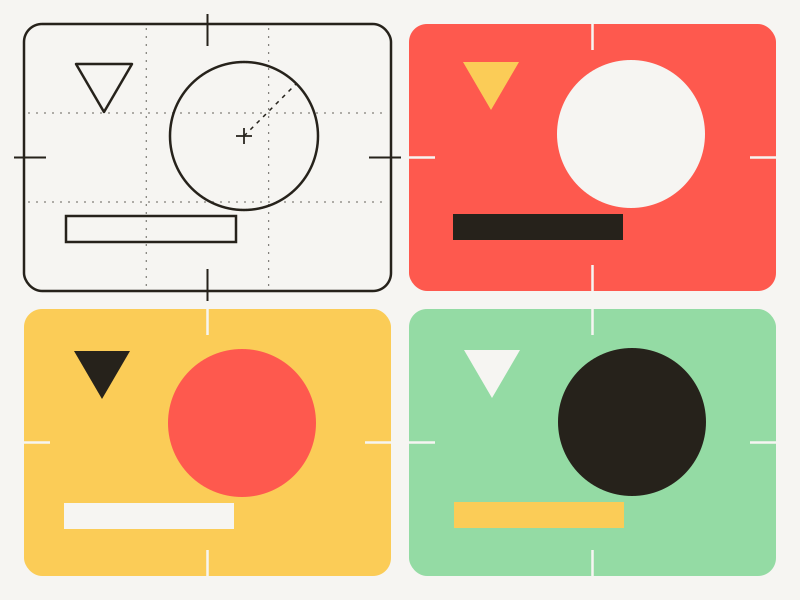
Styles
Motion designers spend countless hours creating animations that are used once and then forgotten. Every new project starts from scratch, even when the visual language is the same.
Styles change that.
A Style is a reusable motion design system. You design it once, and CucoStudio applies it to any story—matching layouts, animating text, placing media, and adapting the timing automatically.
Instead of delivering a single video, you’re building something that can generate thousands of them while remaining fully editable in After Effects.
Design once, infinite takes.
New to Styles? The How to Make a Style guide walks you through building your first one with the CucoStudio Toolbox.
The Toolbox
The CucoStudio Toolbox is a panel for After Effects. It’s installed with CucoStudio; open it from the Window menu: CucoStudio-Toolbox.jsx.
It sets up shots and wires your animation to the Style, so you can focus on design instead of writing expressions.
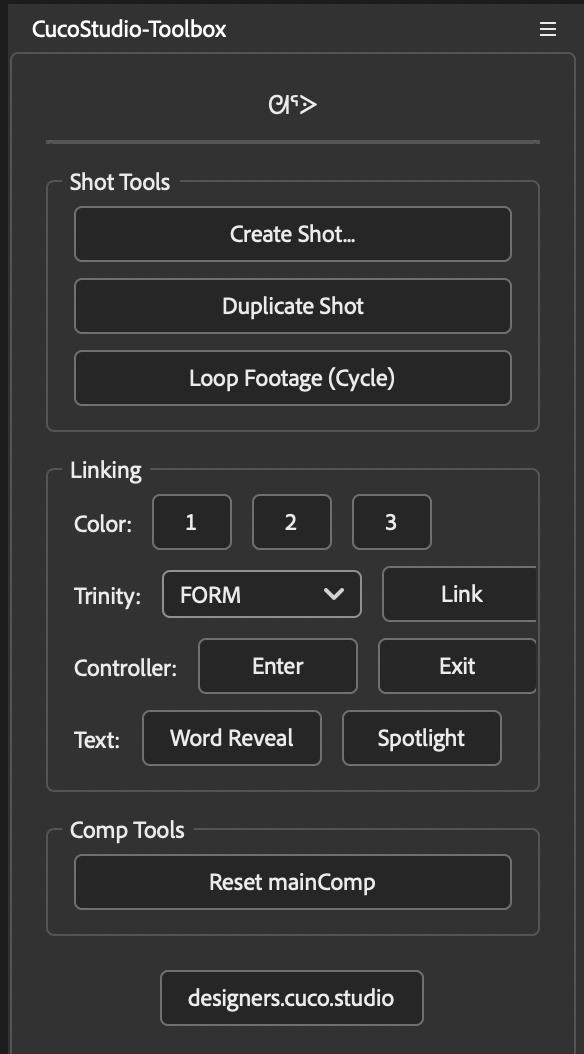
| Button | What it does |
|---|---|
| Shot Tools | |
| Create Shot… | Builds a new shot with its text, frame and controller. The first time, it also sets up the mainComp. |
| Duplicate Shot | Copies the shot you’re in, with its own text and frame. |
| Loop Footage | Makes the selected footage repeat for as long as the shot lasts. |
| Linking | |
| Color 1, 2, 3 | Links the selected colors to the Style’s color palette. |
| Trinity + Link | Links the selected properties to Form, Flow or Pressure. |
| Controller: Enter, Exit | Makes the selected animation follow the controller, so it fits any shot length. |
| Text: Word Reveal | Builds the text up word by word. |
| Text: Spotlight | Shows one word of the text at a time. |
| Comp Tools | |
| Reset mainComp | Lines the shots in the mainComp back up after you change their lengths. |
To see the Toolbox in action, step by step, follow the How to Make a Style guide.
The Shot
A Style is fundamentally a collection of Shots.
The shot is the core unit of the video; when CucoStudio renders a story, it fits each section into one of the available Shots.
The more diverse the shots, the greater the range of story expression.
Each Shot is an After Effects composition stored inside the ORIGINAL_SHOTS folder. Its text and frame compositions live next door, in NATIVE_ASSETS.
The Toolbox’s Create Shot… button sets all of this up for you, and Duplicate Shot copies a shot along with its own text and frame.
The Shot has three principal components:
Controller
A null layer called controller that holds two sliders, enter and exit. Each one has two keyframes going from 0 to 100, tracking how far along the animation is: enter while the shot animates in, exit while it animates out. By default, the enter plays over the first fifth of the shot and the exit over the last fifth. Move those keyframes to make the in and out longer or shorter.
Shots get stretched and squeezed to fit what’s being said, so you don’t animate to fixed frames. The controller stretches with the shot, and anything linked to it follows along.
Use the Toolbox to link any set of keyframes to enter or exit: select the animated properties and click Enter or Exit. Your animation keeps its shape and its timing relative to the shot, which makes it easy to correct.
Frame
A precomp that will hold any visual media attached in the section: images, GIFs or videos. Inside the shot, treat it like any other layer: position it, scale it, mask it, animate it. Even if you duplicate the frame precomp, it must have the same name.
The name should match the shot name + -frame:
shot: "hero"
frame: "hero-frame"
For video footage inside a shot, the Toolbox’s Loop Footage button makes it repeat for as long as the shot lasts.
Text
Similar to the frame, the text is a precomp layer that holds a text layer called textBlock.
The textBlock will hold the text coming from the section, like captions or general titles. Style it however you like (font, color, box), and CucoStudio swaps in the words.
The name should match the shot name + -text:
shot: "hero"
text: "hero-text"
If you’d like to create text animations, the Toolbox has two presets that will get you started:
- Word Reveal builds the text up word by word.
- Spotlight shows one word at a time.
mainComp
The main timeline. The whole video is assembled here; the final export comes from this composition. When a video is made, you’ll find all the shots sequenced inside the mainComp. If you need to change the duration of any of the shots after the video is created, use the Toolbox’s Reset mainComp button to realign everything cleanly.
mainControl
A null layer at the video level. It holds the three Trinity parameters (FORM, FLOW, PRESSURE) and the three color palette values (1, 2, 3). This is what connects global settings to everything in your style.
You don’t have to wire it by hand. Select properties in any shot and use the Toolbox’s Color buttons to link them to a palette color, or Trinity + Link to drive them with Form, Flow or Pressure.